RotorOps Rescue Fire Police Getting Started Guide
First join, hangar deploy, crew roles, and a clean first-mission loop.
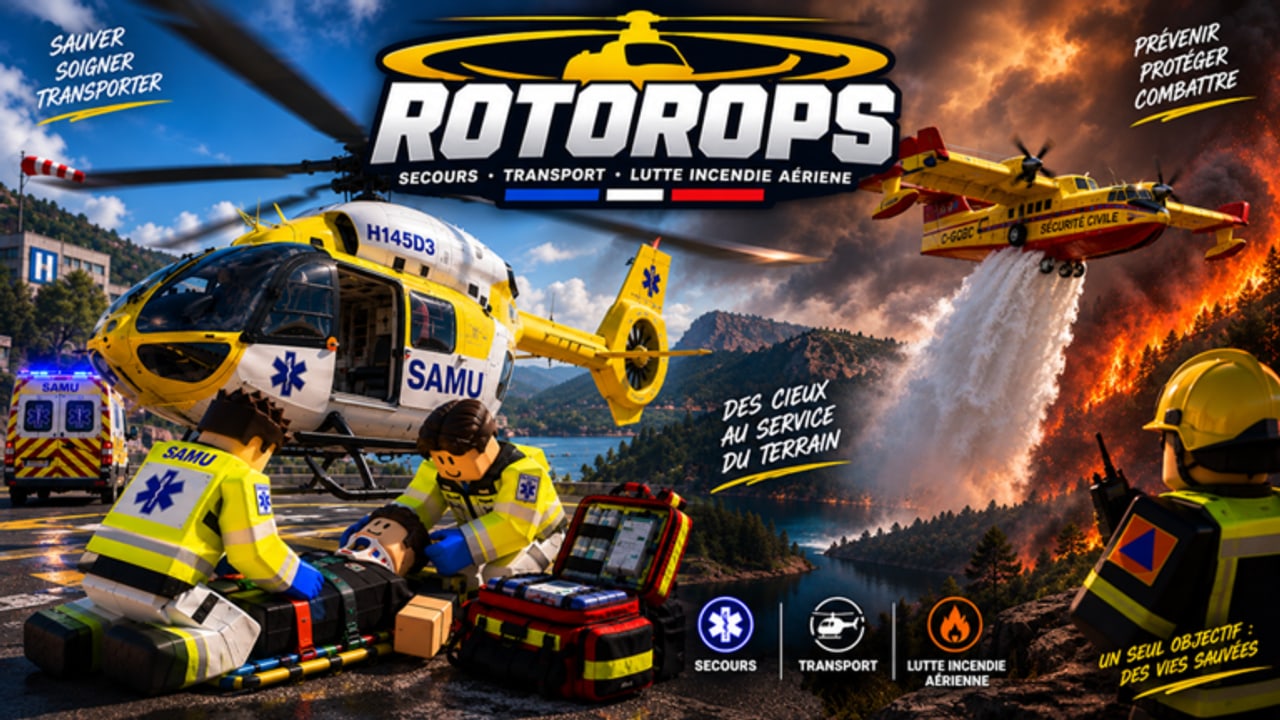
RotorOps - Rescue & Fire & Police is a Roblox BETA helicopter emergency simulator by Veltsim_Officiel. You fly real-feeling airframes, work as a small crew, and rotate between medical rescue, firefighting, and gendarmerie support. This guide walks you from first join through a reliable early mission loop so you stop wasting credits, fuel, and boarding time.
If you prefer video, the mid-page tutorial shows the same day-one flow. Keep this wiki open for the written checklists and deep links: flight controls, medical missions, firefighting, gendarmerie work, refueling, and hoist rescues.
What the game actually is
RotorOps is not a lone-wolf arcade flyer. The intended loop is team-based: one pilot plus two medics, or a fire squadron that shares boarding requests and mission bonuses. Roles matter. The pilot owns aircraft systems, altitude, approach paths, and fuel. Crew own medical kits, hoist timing, bucket drops, and on-scene observation. When someone skips their job, the helicopter waits—and victims will not board until medical care is finished.
The BETA still iterates on maps, liveries, and unlock pacing. Country or region settings can change which helicopter brands appear. Players commonly report US-facing Bell and Boeing options versus European or Asian Airbus standards such as the EC145, AS365, EC135, and H145 family. Fire assets include Bambi bucket work plus larger platforms like the CL-415 and Dash 8 for heavier water or retardant runs. Treat brand lists as living content and cross-check the tier list and updates after patches.
First join checklist
- Launch the Roblox place and wait for the hangar or base area to finish loading.
- Read any on-screen prompts about role selection, Civil Security, or SAMU starter liveries. Free starter liveries are the safest early choice.
- Open the hangar NPC flow and choose a deployable starter helicopter—community tutorials often start with Deploy EC-145. The EC-135 sits much higher, around 160k credits, so do not rush it.
- Confirm you have a crew plan: pilot seat plus medic seats, or a fire team. Solo is possible for practice, but shared bonuses and boarding requests reward real teammates—see the players hub for role tips.
- Check fuel before you leave. RotorOps expects you to refuel at hangar or base before flight and return after missions. Empty tanks turn good calls into dead sticks.
- Review the keyboard basics once: Shift climbs, Ctrl descends, X starts the aircraft, H toggles systems, N toggles night vision. Full detail lives on controls and flying.
- Claim any active codes before your first long sortie so early credits go further.
Hangar deploy and aircraft choice
Walk to the hangar NPC and deploy a helicopter you can actually afford and fly. Starter Civil Security or SAMU liveries keep cosmetics free while you learn approach angles and hover work. The EC145-class airframe is a strong all-rounder for early medical and mixed calls. Save the EC-135 unlock until you understand fuel burn, hoist positioning, and how long your average call lasts.
Before takeoff, run a mental preflight: rotors clear, systems on with H if required after start, night vision ready if the call is dark, and crew seated with kits. If your map offers multiple pads, pick the pad closest to the reported sector so you do not burn fuel taxiing across the map on the ground.
Picking your first role
Medical / SAMU. Best for learning crew coordination. Approach the victim, open the medical file, apply cervical collar, splint, tourniquet, intubation probe, and respirator as needed. The victim will not board until care is complete. Pair this role with medical missions and hoist use.
Fire. Wind spreads house-to-house. Your job is to contain the front, not chase every flame. Bambi bucket runs teach hover precision; CL-415 and Dash 8 teach larger drop patterns. Read firefighting missions before you dump water on the wrong side of the wind.
Gendarmerie. Observation and search. FLIR thermal imaging and night vision binoculars help you monitor gatherings and locate missing persons. Aerial police support is quieter than rescue drama but still fuel-hungry. See gendarmerie missions.
Whatever you pick, tell your crew the plan in chat: who flies, who treats, who runs hoist or bucket, and when you will return to base for fuel.
First mission loop (do this every time)
- Brief. Read the call type, sector, and weather or wind notes if shown.
- Fuel. Top off at hangar or base. Never assume a previous sortie left you full—use the refuel guide.
- Start and climb. X to start, systems with H, climb with Shift, stay controlled with Ctrl on descent.
- Transit. Fly a clean route. Avoid low sightseeing that burns fuel and invites damage.
- On scene. Medical teams treat before boarding. Fire teams attack the advancing front. Gendarmerie scan with FLIR or NV before calling next steps.
- Extract or stabilize. Hoist when landing is unsafe. Coordinate boarding requests so the pilot is not hovering forever.
- Return. Land at base, refuel, repair or check condition if the UI shows damage gauges, then accept the next call.
That loop is the whole early game. Credits and shared bonuses come from finishing care, containing fire, or completing observation tasks—not from racing empty between pads.
Crew communication that actually helps
Use short callouts: “on final,” “stable hover,” “collar on,” “bucket wet,” “FLIR contact,” “bingo fuel.” Boarding requests should be explicit so the pilot knows when doors can close. If one medic is still intubating, say so—the aircraft should wait. Shared bonuses reward the whole squadron when the mission completes cleanly, so delaying ten seconds for proper care is better than a failed extract.
Early progression priorities
Spend first credits on reliability, not prestige. Master hover, approach, and the medical checklist before buying the EC-135. Unlock liveries that match the role you actually play. Watch the tier list for airframe and loadout rankings, but treat BETA numbers as provisional. After each update, skim updates for fuel, unlock, or control changes.
Practice night ops with N for night vision once you can hold a daytime hover. Gendarmerie FLIR work and dark medical hoist calls both punish sloppy altitude control. If you crash often, slow the approach and reread controls.
Common day-one mistakes
- Deploying an expensive helicopter before learning fuel returns.
- Leaving base without refueling, then cutting a medical call short.
- Trying to board victims before cervical collar, splint, tourniquet, airway, and respirator steps are done.
- Fighting fire downwind instead of containing the advancing front.
- Ignoring crew boarding requests and drifting off the hoist point.
- Skipping Discord patch notes from the community at https://discord.gg/rotorops-roblox when something feels broken.
What to read next
After one successful loop, deepen the role you enjoyed: medical, fire, or gendarmerie. Add hoist and refuel muscle memory the same session. Keep codes, players, and updates bookmarked for rewards, teammates, and patch surprises.
RotorOps rewards calm crews. Join, deploy from the hangar, finish care or containment, return for fuel, and repeat. That is how you graduate from first-join chaos to a dependable rescue pilot or medic.
Frequently Asked Questions
Quick answers to the most common RotorOps questions.
Which helicopter should I deploy first in RotorOps?
Start with a hangar deploy you can afford—community tutorials often use Deploy EC-145. Free Civil Security or SAMU liveries are fine. Save the EC-135 (~160k credits) until you understand fuel and mission length.
Why will the victim not board my helicopter?
Medical victims require completed care first: open the medical file, then use cervical collar, splint, tourniquet, intubation probe, and respirator as needed. Boarding unlocks only after treatment.
Do I need a full crew to play?
You can practice solo, but the design expects one pilot plus two medics or a fire squadron. Boarding requests and shared bonuses work best with teammates—check the players hub for role partners.
Where do I refuel after a mission?
Return to the hangar or base and refuel before the next flight. Fuel planning is mandatory; see the dedicated how-to-refuel guide for the full workflow.
What are the basic flight keys?
Community tutorials list Shift for up, Ctrl for down, X to start, H for systems, and N for night vision. Full landing and gauge tips are on the controls-flying page.